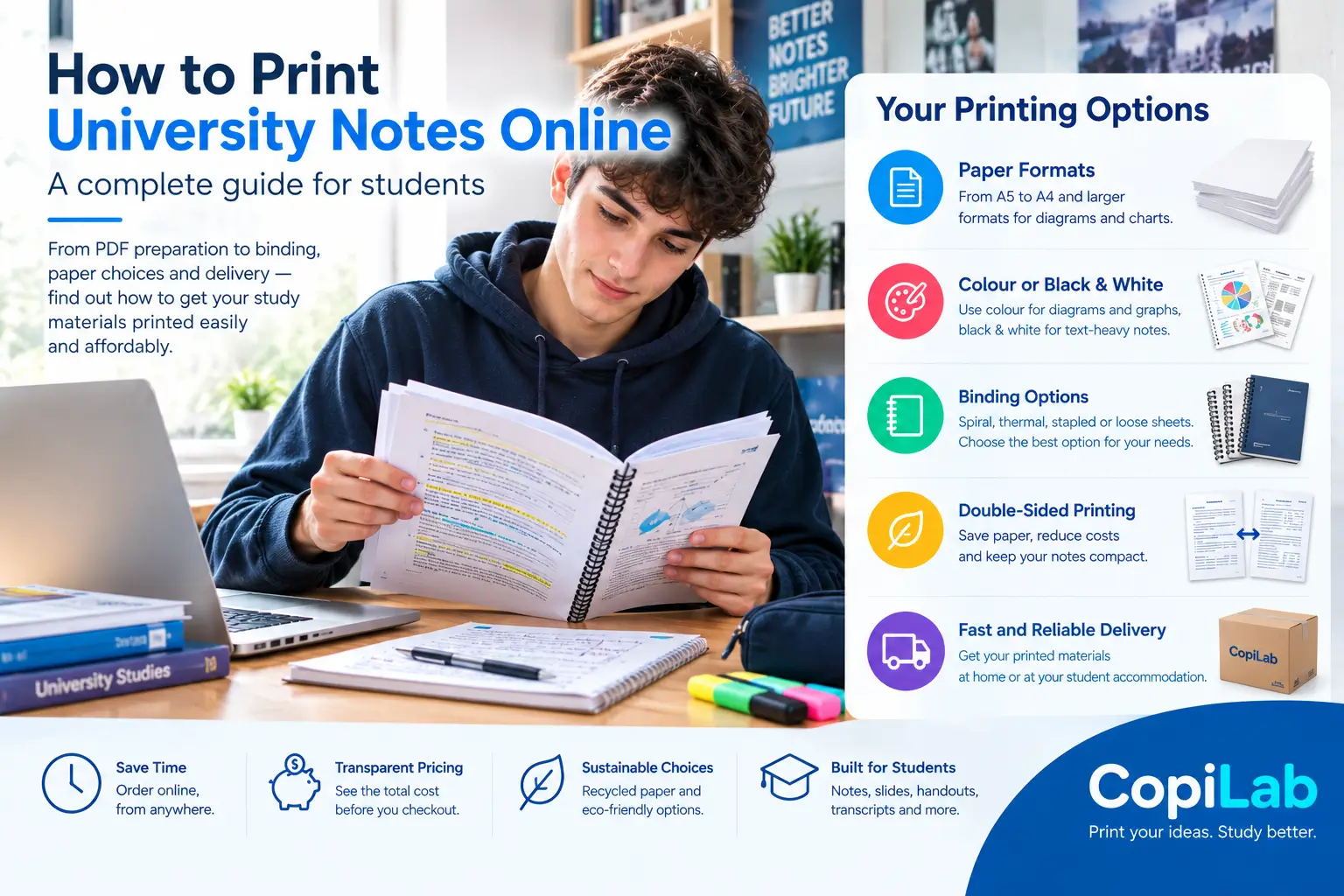
Preparing for university exams often means organizing hundreds of pages of lecture notes, presentation slides, recorded lecture transcripts and study materials. Reading everything on a laptop can become inconvenient, especially when you want to highlight important information, annotate diagrams or review several subjects away from a screen.
Printing university notes online offers a practical alternative. You can prepare your files, select printing preferences, choose a suitable binding and have the finished documents delivered to your address.
However, choosing the right printing options matters. Paper size, colour, page layout, binding and delivery costs all affect the final result. Understanding these choices before ordering can help you avoid unnecessary expenses and make your study materials easier to use.
What Is Online Printing for University Notes?
Online printing allows students to upload digital documents, configure their printing requirements and place an order through a website. Instead of visiting a local copy shop, you can prepare your files from home and receive the printed materials by delivery.
Students commonly use online printing services for:
- University lecture notes and handouts
- Lecture transcripts and study summaries
- Presentation slides
- Exercise sheets and practice questions
- Research reports and assignments
- Revision guides
- Laboratory notes and technical documents
A service such as CopiLab offers online printing options for study materials, including document configuration and different finishing choices.
The most suitable configuration depends on the document itself. A large collection of lecture notes may benefit from double-sided printing and spiral binding, while a short assignment may need only a few stapled pages.
1. Prepare Your PDF Before Printing
The first step is to check your documents carefully. Even a good printing service cannot automatically correct every problem in an uploaded file.
Before placing an order, open each PDF and review the following details.
Page order: Confirm that chapters, exercises and appendices appear in the correct sequence.
Orientation: Make sure portrait and landscape pages are positioned correctly, particularly when printing presentation slides or diagrams.
Margins: Check that important text, formulas, page numbers and diagrams are not cut off near the edges.
Readability: Zoom in to inspect small text, screenshots and mathematical notation.
Page selection: Remove unnecessary blank pages, duplicate material and sections you do not need to print, where appropriate.
File completeness: Confirm that the PDF contains every chapter or handout required for your study plan.
It is also worth checking whether the document uses a page layout designed for printing or for viewing on a screen. Presentation slides, for example, may have substantial empty space and small text when printed on A4 paper.
A few minutes spent checking your PDFs can prevent wasted paper and the cost of reprinting.
2. Choose the Right Paper Size
Paper size affects readability, portability and how much space your printed notes occupy.
A4 paper
A4 is a practical choice for most university notes, lecture transcripts, assignments and revision sheets. It provides enough space for paragraphs, formulas and diagrams while remaining easy to store in folders.
A5 paper
A5 is smaller and more portable. It can work well for compact revision guides and summaries, provided the original content remains readable at the reduced size.
A3 and larger formats
Larger paper sizes can be helpful for diagrams, technical drawings, charts, detailed tables and other materials that become difficult to read on standard paper.
Before ordering, check that your chosen service supports the format you need and that the original file is suitable for that size.
Practical tip: Do not choose a smaller format simply to save space. If reducing the page size makes formulas or diagrams difficult to read, the savings may not be worthwhile.
3. Should You Print in Black and White or Colour?
This depends on how the material communicates information.
Black-and-white printing
Black-and-white printing is often suitable for:
- Text-heavy lecture notes
- Essays and assignments
- Lecture transcripts
- Written exercises
- Revision summaries
- Documents that use clear headings and formatting
It can be a cost-effective option when colour provides little additional information.
Colour printing
Colour can be useful for:
- Biology diagrams
- Anatomy illustrations
- Maps
- Graphs with multiple data series
- Highlighted lecture slides
- Charts that use colour to distinguish categories
For example, a biology student may benefit from a colour diagram showing different anatomical structures. A history student working mainly with text may not need colour on every page.
Some printing configurators allow different settings for pages or documents. Where available, this can help you avoid paying for colour on material that remains perfectly readable in black and white.
The best rule is straightforward: use colour where it improves understanding, rather than printing every page in colour by default.
4. Is Double-Sided Printing Worth It?
Double-sided printing places content on both sides of each sheet of paper.
For large sets of university notes, it can reduce the number of physical sheets required and make the completed material less bulky.
For example, a document containing 200 pages of content would generally require about 200 sheets when printed on one side, or about 100 sheets when printed on both sides, assuming one document page is placed on each side and the final page count is even.
The actual printed result may differ if you use multiple pages per sheet, blank pages, special layouts or other settings.
When double-sided printing works well
It is usually practical for text-heavy notes, lecture transcripts and revision guides.
When single-sided printing may be better
Single-sided printing can be more convenient when you need to annotate extensively, separate individual sheets, use certain worksheets or follow instructions that require printing on one side.
You should also consider whether diagrams or images on the reverse side affect readability.
For most large collections of ordinary lecture notes, double-sided printing is worth considering because it can reduce paper consumption and the physical size of your materials.
5. Which Binding Is Best for University Notes?
Binding influences how easily you can open, organize and handle printed material throughout the semester.
The best option depends on the document’s length and how you plan to use it.
Spiral binding
Spiral binding is useful for notes that you consult frequently.
The pages can usually turn easily, making it convenient to keep a document open while working through exercises or studying from a desk.
It is a practical option for revision guides, subject notes and collections of lecture slides.
Thermal binding
Thermal binding gives a document a more book-like finish.
It may suit organized study material, reports and documents that you want to keep together as a finished volume.
Check the provider’s available formats and document limits before selecting it.
Stapled pages
Stapling is a simple option for shorter documents, individual lessons, worksheets and smaller handouts.
It allows you to keep a compact set of pages together without using a more elaborate binding method.
Loose sheets
Loose sheets offer flexibility. You can rearrange pages, add new material or divide documents into sections.
They may be particularly useful when lecture notes are updated frequently or when you prefer to organize your study material in a ring binder.
How to decide
| Your study material | Suitable option to consider |
|---|---|
| Frequently used lecture notes | Spiral binding |
| A polished, organized document | Thermal binding |
| A short handout | Stapled pages |
| Notes you regularly update | Loose sheets |
| Several separate subjects | Separate bindings or clearly divided documents |
These are general recommendations rather than strict rules. Document length, paper type and your personal study habits should also guide the choice.
6. How Much Does It Cost to Print University Notes?
The cost of printing university notes depends on several factors, so there is no single price that applies to every order.
The main variables include:
- Number of pages
- Number of copies
- Black-and-white or colour printing
- Single-sided or double-sided printing
- Paper format and type
- Binding and finishing
- Delivery charges
- Any applicable discounts or promotions
For a useful comparison, calculate the total cost rather than looking only at the advertised price per page.
Imagine that you need to print several lecture documents. One service may have a lower printing price but charge separately for binding or delivery. Another may appear more expensive initially but provide a better combination of finishing and shipping costs for your order.
The final amount shown in the checkout is the figure to compare.
Before ordering, use the service’s online quotation tool where available. CopiLab provides a printing configurator that lets users choose settings and review their order before checkout.
How to keep printing costs under control
Print only what you need. Review your files before uploading them, especially when several documents contain repeated information.
Consider double-sided printing. It reduces the number of physical sheets needed for many documents.
Use black and white selectively. Reserve colour for pages where it adds genuine value.
Choose binding based on use. Do not pay for an elaborate finish if simple stapling will do the job.
Check delivery costs. Include shipping when comparing the total price of different services.
Review the order before paying. Confirm page counts, colour settings, format, binding and quantity.
A little planning can make a large printing order more economical without sacrificing readability.
7. How to Choose an Online Printing Service
Not every printing service is equally suitable for university students. Comparing a few practical criteria can help you make a better decision.
Clear pricing
You should be able to understand how printing options affect the price before committing to an order.
An online configurator or quotation tool is useful because it allows you to test different combinations of paper, colour, quantity and binding.
Flexible printing settings
Look for the options that match your actual needs. These may include paper formats, orientation, double-sided printing, colour selection and different binding methods.
File compatibility
Check which formats the service accepts and whether you need to convert your material into PDF first.
Delivery information
Review the estimated production and delivery times for your location. The expected delivery date may depend on the destination, order cut-off times, production requirements, holidays and carrier conditions.
Avoid relying on a general delivery promise without checking the estimate for your specific order.
Binding and finishing
A suitable binding option can make a substantial difference when you are studying from the same document over several weeks.
Customer support
It is useful to know how to contact the service if you have questions about file preparation, configuration, shipping or an existing order.
Sustainability
Some students also consider recycled paper, packaging and the company’s stated environmental practices.
Where sustainability matters to you, review the specific materials and practices described by the provider rather than relying solely on broad environmental claims.
8. How to Order Printed University Notes Online
The process is usually straightforward when your files are ready.
Step 1: Organize your documents
Prepare the PDFs you need and give them clear filenames. Separate different subjects if you want to configure each document independently.
Step 2: Upload your file
Open the printing service and select the document you want to print.
Step 3: Configure the printing settings
Choose the available options that match your requirements, including paper format, colour, page layout, quantity and binding.
Step 4: Check the total price
Review the quotation and confirm which printing and finishing services are included.
Step 5: Confirm delivery information
Enter your delivery details and check the estimated production and shipping dates.
Step 6: Review and place the order
Before paying, check that the correct file and configuration appear in your order summary.
Step 7: Keep the confirmation
Save the order confirmation and tracking details so you can follow the delivery and contact customer support if necessary.
For students who prefer completing the process online, CopiLab provides a dedicated service for configuring and ordering printed study material.
9. Is Online Printing Better Than Visiting a Local Copy Shop?
Both options have advantages.
A local copy shop may be convenient when you need a very small number of pages immediately, want to inspect a sample or need help with an unusual document.
Online printing may be more convenient when you have many files, want to compare finishing options, need to order from home or prefer having larger quantities delivered.
| Factor | Online printing | Local copy shop |
|---|---|---|
| Convenience | Order remotely | Requires a visit |
| Large document orders | Often practical | Depends on the shop |
| Immediate collection | Depends on production and delivery | May be possible |
| Configuration | Online settings and quotations | Direct discussion with staff |
| Delivery | Usually available where offered | May require collection |
| File assistance | Depends on online support | Direct assistance may be available |
The best choice depends on the size of the job, how quickly you need it and whether you require personal assistance.
If your exam is tomorrow and you only need ten pages, a nearby copy shop may be the sensible choice. If you have several hundred pages of notes and can plan ahead, online printing may be more convenient.
10. Can Printing Study Materials Be More Sustainable?
Printing has an environmental impact, but your choices can influence how much paper and other material you use.
Consider these practical steps:
- Print only the material you actually need.
- Use double-sided printing for suitable documents.
- Avoid printing duplicate notes.
- Select recycled paper where available and appropriate.
- Keep printed documents organized so you can reuse them for revision.
- Choose packaging and delivery options with care where alternatives are offered.
Paper choice is only one part of the picture. Printing equipment, energy, ink or toner, packaging and transport also contribute to the overall impact.
If a provider promotes sustainability, review the specific practices it describes. For example, using recycled paper or renewable electricity is a more useful statement than an unsupported claim that printing is entirely environmentally friendly.
For students who prefer physical notes but want to reduce unnecessary waste, thoughtful document preparation is a sensible starting point.
Frequently Asked Questions
Where can I print university notes online?
You can use an online printing service that accepts digital files, provides printing configuration options and delivers finished documents. Before ordering, compare pricing, paper choices, binding, file requirements and delivery estimates.
What is the best format for university notes?
A4 is a practical choice for most text-based notes and lecture transcripts. A5 can work for compact revision materials, while larger formats may be better for detailed diagrams or technical drawings.
Is double-sided printing good for study notes?
It is often useful for large text-based documents because it reduces the number of sheets required. Single-sided printing may be more practical for worksheets or material that needs extensive handwritten annotation.
Should I print university notes in colour?
Use colour when it helps explain a diagram, graph, map or other visual content. For ordinary text, black-and-white printing may be sufficient and more economical.
Which binding is best for printed notes?
Spiral binding is convenient for frequently used notes, thermal binding provides a book-like finish, stapling suits short documents, and loose pages work well when you need to rearrange material.
How can I estimate printing costs before ordering?
Use an online quotation tool where available. Enter your document details, select printing and finishing options, then review the total including delivery before completing the purchase.
How long does online printing take?
Production and delivery times vary by provider, destination, order size, finishing requirements and carrier. Check the estimate provided for your address and order rather than relying on a general delivery claim.
Can I print several PDFs in one order?
This depends on the service. Some platforms allow multiple documents to be configured separately and added to one basket. Check whether each file retains its own printing and binding settings.
Is online printing suitable for exam preparation?
It can be useful when you want organized notes, exercises and revision material in one place. The best format depends on how you study, the type of content and whether physical notes complement your preferred digital tools.
Final Thoughts
Printing university notes online can make it easier to organize lecture materials, prepare for exams and keep important documents available when you need them.
The best results come from making a few informed decisions before ordering: check your PDFs, choose a readable paper size, use colour selectively, consider double-sided printing and select binding that matches the way you study.
Always compare the complete cost, including finishing and delivery, and allow enough time for production and shipping.
For students who prefer ordering their study materials online, CopiLab is one option to explore for printing notes, slides, lecture transcripts and university handouts.
Ultimately, good printing is not about producing the most pages. It is about creating study materials that are readable, organized, convenient and worth the money you spend on them.